便利なパッケージのインストール
いつものCPU温度取得表示パッケージ luci-app-temp-status と共に、同じ作者によるCPU負荷表示パッケージ luci-app-cpu-status もインストールしてみます。

NX30 Proに入れたバージョン 0.4-2 から進んだ現行版 0.4.1-r1 では、依存パッケージをまとめてインストールしてくれなかったので、予め個別にインストールを済ませてから、 luci-app-temp-status をインストール。
|
1 2 3 4 5 6 7 8 9 10 11 12 13 14 15 16 17 18 19 20 |
root@RAX3000M:~# opkg install lua luci-lib-nixio luci-lib-jsonc Installing lua (5.1.5-11) to root... Installing liblua5.1.5 (5.1.5-11) to root... Installing luci-lib-nixio (git-24.342.06664-a42c53a) to root... Installing luci-lib-jsonc (git-24.342.06664-a42c53a) to root... Configuring liblua5.1.5. Configuring lua. Configuring luci-lib-nixio. Configuring luci-lib-jsonc. root@RAX3000M:~# wget --no-check-certificate -O /tmp/luci-app-temp-status_0.4.1-r1_all.ipk https://github.com/gSpotx2f/packages-openwrt/raw /master/current/luci-app-temp-status_0.4.1-r1_all.ipk Downloading 'https://github.com/gSpotx2f/packages-openwrt/raw/master/current/luci-app-temp-status_0.4.1-r1_all.ipk' Writing to '/tmp/luci-app-temp-status_0.4.1-r1_all.ipk' root@RAX3000M:~# opkg install /tmp/luci-app-temp-status_0.4.1-r1_all.ipk Installing luci-app-temp-status (0.4.1-r1) to root... Configuring luci-app-temp-status. root@RAX3000M:~# rm /tmp/*.ipk root@RAX3000M:~# /etc/init.d/rpcd reload |

図11.luci-app-temp-status
luci-app-cpu-status には依存パッケージは無いので、GitHubからパッケージをダウンロードしてインストールだけ。
|
1 2 3 4 5 6 7 8 9 10 11 12 |
root@RAX3000M:~# wget --no-check-certificate -O /tmp/luci-app-cpu-status_0.5.0-r1_all.ipk https://github.com/gSpotx2f/packages-openwrt/raw/ master/current/luci-app-cpu-status_0.5.0-r1_all.ipk Downloading 'https://github.com/gSpotx2f/packages-openwrt/raw/master/current/luci-app-cpu-status_0.5.0-r1_all.ipk' Writing to '/tmp/luci-app-cpu-status_0.5.0-r1_all.ipk' /tmp/luci-app-cpu-st 100% |*******************************| 3264 0:00:00 ETA root@RAX3000M:~# opkg install /tmp/luci-app-cpu-status_0.5.0-r1_all.ipk Installing luci-app-cpu-status (0.5.0-r1) to root... Configuring luci-app-cpu-status. root@RAX3000M:~# rm /tmp/luci-app-cpu-status_0.5.0-r1_all.ipk root@RAX3000M:~# /etc/init.d/rpcd reload |

図12.luci-app-cpu-status
次にopkgパッケージマネージャから、Irqbalanceを導入。
|
1 2 3 4 5 6 7 8 9 |
root@RAX3000M:~# opkg update root@RAX3000M:~# opkg install irqbalance Installing irqbalance (1.9.4-1) to root... Downloading https://downloads.openwrt.org/releases/23.05.5/packages/aarch64_cortex-a53/packages/irqbalance_1.9.4-1_aarch64_cortex-a53.ipk Configuring irqbalance. root@RAX3000M:~# uci set irqbalance.irqbalance.enabled=1 root@RAX3000M:~# /etc/init.d/irqbalance status active with no instances |
しばらく時間をおいてから、負荷分散の様子を確認するも、相変わらず効果のほどは見つけられず。
|
1 2 3 4 5 6 7 8 9 10 11 12 13 14 15 16 17 18 19 20 21 22 23 24 25 26 27 28 |
root@RAX3000M:~# cat /proc/interrupts CPU0 CPU1 11: 166620 155270 GICv3 30 Level arch_timer 17: 0 0 GICv3 142 Level wdt_bark 18: 12 0 GICv3 155 Level ttyS0 19: 0 0 GICv3 148 Level 10320000.crypto 20: 0 0 GICv3 149 Level 10320000.crypto 21: 0 0 GICv3 150 Level 10320000.crypto 22: 0 0 GICv3 151 Level 10320000.crypto 24: 0 0 mt-eint 0 Edge gpio-keys 25: 0 0 mt-eint 1 Edge gpio-keys 62: 17 0 mt-eint 38 Level mt7530 83: 151496 0 GICv3 229 Level 15100000.ethernet 84: 206208 0 GICv3 230 Level 15100000.ethernet 86: 41159 0 GICv3 172 Level 1100a000.spi 87: 0 0 GICv3 205 Level xhci-hcd:usb1 88: 703753 0 GICv3 245 Level mt7915e 92: 0 17 mt7530 0 Edge mt7530-0:00 93: 0 0 mt7530 1 Edge mt7530-0:01 94: 0 0 mt7530 2 Edge mt7530-0:02 IPI0: 14654 18810 Rescheduling interrupts IPI1: 607558 1078615 Function call interrupts IPI2: 0 0 CPU stop interrupts IPI3: 0 0 CPU stop (for crash dump) interrupts IPI4: 0 0 Timer broadcast interrupts IPI5: 0 0 IRQ work interrupts IPI6: 0 0 CPU wake-up interrupts Err: 0 |
Prometheus Exporterの導入
以前記事にした、OpenWrtデバイスへのPrometheus Exporter導入手順に沿って作業を進めます。
opkgパッケージマネージャで必要なパッケージをインストールするのですが、Dumb APで prometheus-node-exporter-lua-nat_traffic は意味がないので、これはインストールしませんでした。
|
1 2 3 4 5 6 7 8 9 10 11 12 13 14 15 16 17 18 19 20 21 22 23 24 25 26 27 28 29 30 31 32 |
root@RAX3000M:~# opkg install prometheus-node-exporter-lua \ > prometheus-node-exporter-lua-netstat \ > prometheus-node-exporter-lua-openwrt \ > prometheus-node-exporter-lua-wifi \ > prometheus-node-exporter-lua-wifi_stations Installing prometheus-node-exporter-lua (2024.06.16-2) to root... Downloading https://downloads.openwrt.org/releases/23.05.5/packages/aarch64_cortex-a53/packages/prometheus-node-exporter-lua_2024.06.16-2_all.ipkInstalling luasocket (3.1.0-1) to root... Downloading https://downloads.openwrt.org/releases/23.05.5/packages/aarch64_cortex-a53/packages/luasocket_3.1.0-1_aarch64_cortex-a53.ipk Installing uhttpd-mod-lua (2023-06-25-34a8a74d-2) to root... Downloading https://downloads.openwrt.org/releases/23.05.5/packages/aarch64_cortex-a53/base/uhttpd-mod-lua_2023-06-25-34a8a74d-2_aarch64_cortex-a53.ipk Installing libubus-lua (2023-06-05-f787c97b-1) to root... Downloading https://downloads.openwrt.org/releases/23.05.5/packages/aarch64_cortex-a53/base/libubus-lua_2023-06-05-f787c97b-1_aarch64_cortex-a53.ipk Installing prometheus-node-exporter-lua-netstat (2024.06.16-2) to root... Downloading https://downloads.openwrt.org/releases/23.05.5/packages/aarch64_cortex-a53/packages/prometheus-node-exporter-lua-netstat_2024.06.16-2_all.ipk Installing prometheus-node-exporter-lua-openwrt (2024.06.16-2) to root... Downloading https://downloads.openwrt.org/releases/23.05.5/packages/aarch64_cortex-a53/packages/prometheus-node-exporter-lua-openwrt_2024.06.16-2_all.ipk Installing prometheus-node-exporter-lua-wifi (2024.06.16-2) to root... Downloading https://downloads.openwrt.org/releases/23.05.5/packages/aarch64_cortex-a53/packages/prometheus-node-exporter-lua-wifi_2024.06.16-2_all.ipk Installing libiwinfo-lua (2023-07-01-ca79f641-1) to root... Downloading https://downloads.openwrt.org/releases/23.05.5/packages/aarch64_cortex-a53/base/libiwinfo-lua_2023-07-01-ca79f641-1_aarch64_cortex-a53.ipk Installing prometheus-node-exporter-lua-wifi_stations (2024.06.16-2) to root... Downloading https://downloads.openwrt.org/releases/23.05.5/packages/aarch64_cortex-a53/packages/prometheus-node-exporter-lua-wifi_stations_2024.06.16-2_all.ipk Configuring libubus-lua. Configuring libiwinfo-lua. Configuring luasocket. Configuring uhttpd-mod-lua. Configuring prometheus-node-exporter-lua. Configuring prometheus-node-exporter-lua-netstat. Configuring prometheus-node-exporter-lua-wifi. Configuring prometheus-node-exporter-lua-openwrt. Configuring prometheus-node-exporter-lua-wifi_stations. |
インストール後、設定ファイルを編集して受け待ち範囲を変更。
|
1 2 3 4 5 6 7 8 9 10 11 |
【変更前】 config prometheus-node-exporter-lua 'main' option listen_interface 'loopback' option listen_ipv6 '0' option listen_port '9100' 【変更後】 config prometheus-node-exporter-lua 'main' option listen_interface 'lan' option listen_ipv6 '0' option listen_port '9100' |
さらに、ディスク関連メトリクスを収集するプローブ、 disk.lua をこちらからありがたく拝借。
|
1 2 3 4 5 6 7 8 9 10 11 12 13 14 15 16 17 18 19 20 21 22 23 24 |
local function scrape() local df = io.popen("df -T") local line = df:read("*l") line = df:read("*l") while (line ~= nil) do local size = space_split(line)[3] * 1024 local available = space_split(line)[5] * 1024 local labels = { fstype = space_split(line)[2], mountpoint = space_split(line)[7] } metric("node_filesystem_avail_bytes", "gauge", labels, available) metric("node_filesystem_size_bytes", "gauge", labels, size) line = df:read("*l") end df:close() end return { scrape = scrape } |
実行権限を付与して、Prometheus-Exporterサービスを再起動します。
|
1 2 3 4 5 6 7 8 9 10 11 12 13 14 15 16 17 18 19 20 21 22 23 |
root@RAX3000M:~# vi /usr/lib/lua/prometheus-collectors/disk.lua root@RAX3000M:~# chmod +x /usr/lib/lua/prometheus-collectors/disk.lua root@RAX3000M:~# ls -l /usr/lib/lua/prometheus-collectors/ -rwxr-xr-x 1 root root 420 Dec 10 06:25 conntrack.lua* -rwxr-xr-x 1 root root 1429 Dec 10 06:25 cpu.lua* -rwxr-xr-x 1 root root 548 Dec 13 03:31 disk.lua* -rwxr-xr-x 1 root root 350 Dec 10 06:25 entropy.lua* -rwxr-xr-x 1 root root 243 Dec 10 06:25 filefd.lua* -rwxr-xr-x 1 root root 266 Dec 10 06:25 loadavg.lua* -rwxr-xr-x 1 root root 345 Dec 10 06:25 meminfo.lua* -rwxr-xr-x 1 root root 1705 Dec 10 06:25 nat_traffic.lua* -rwxr-xr-x 1 root root 4235 Dec 10 06:25 netclass.lua* -rwxr-xr-x 1 root root 1077 Dec 10 06:25 netdev.lua* -rwxr-xr-x 1 root root 690 Dec 10 06:25 netstat.lua* -rwxr-xr-x 1 root root 475 Dec 10 06:25 openwrt.lua* -rwxr-xr-x 1 root root 341 Dec 10 06:25 selinux.lua* -rwxr-xr-x 1 root root 129 Dec 10 06:25 time.lua* -rwxr-xr-x 1 root root 660 Dec 10 06:25 uname.lua* -rwxr-xr-x 1 root root 1541 Dec 10 06:25 wifi.lua* -rwxr-xr-x 1 root root 2753 Dec 10 06:25 wifi_stations.lua* root@RAX3000M:~# /etc/init.d/prometheus-node-exporter-lua restart |
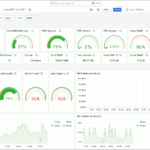
Prometheusサーバ側にデバイスを登録、フロントエンドのGrafanaダッシュボードを開いてみました。

図13.Grafana OpenWrtダッシュボード
DHCP/DNSサービス削除と/etc/ethers受信
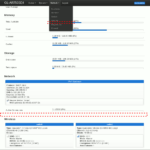
LuCIの概要ページに残る空っぽのDHCPリース一覧を消すべく、サービスパッケージを削除します。
|
1 2 3 4 5 6 |
root@RAX3000M:~# opkg remove dnsmasq Removing package dnsmasq from root... Not deleting modified conffile /etc/config/dhcp. root@RAX3000M:~# opkg remove odhcpd-ipv6only Removing package odhcpd-ipv6only from root... root@RAX3000M:~# rm -rf /tmp/luci* |
また、DHCPリース情報を保持していないOpenWrtデバイスでは、WiFi接続中デバイス名が名無しになってしまうので、DHCPサーバを持つOpenWrtルータからリース情報を定期的に配信してもらうようにしています。


図14.Associated Stations
設定の定期バックアップ
初期設定は以上です。この時点でインストール済のパッケージ一覧は以下の通り。
|
1 2 3 4 5 6 7 8 9 10 11 12 13 14 15 16 17 18 19 20 21 22 23 24 25 26 27 28 29 30 31 32 33 34 35 36 37 38 39 40 41 42 43 44 45 46 47 48 49 50 51 52 53 54 55 56 57 58 59 60 61 62 63 64 65 66 67 68 69 70 71 72 73 74 75 76 77 78 79 80 81 82 83 84 85 86 87 88 89 90 91 92 93 94 95 96 97 98 99 100 101 102 103 104 105 106 107 108 109 110 111 112 113 114 115 116 117 118 119 120 121 122 123 124 125 126 127 128 129 130 131 132 133 134 135 136 137 138 139 140 141 142 143 144 145 146 147 148 149 150 151 152 153 154 155 156 157 158 159 160 161 162 163 164 165 166 167 168 169 170 171 172 173 174 175 176 177 178 179 180 181 182 183 184 185 |
base-files - 1562-r24106-10cc5fcd00 busybox - 1.36.1-1 ca-bundle - 20230311-1 cgi-io - 2022-08-10-901b0f04-21 dropbear - 2022.82-6 e2fsprogs - 1.47.0-2 eip197-mini-firmware - 20230804-1 f2fsck - 1.16.0-1 firewall4 - 2023-09-01-598d9fbb-1 fstools - 2023-02-28-bfe882d5-1 fwtool - 2019-11-12-8f7fe925-1 getrandom - 2022-08-13-4c7b720b-2 hostapd-common - 2023-09-08-e5ccbfc6-8 irqbalance - 1.9.4-1 iw - 5.19-1 iwinfo - 2023-07-01-ca79f641-1 jansson4 - 2.14-3 jshn - 2023-05-23-75a3b870-1 jsonfilter - 2024-01-23-594cfa86-1 kernel - 5.15.167-1-03ba5b5fee47f2232a088e3cd9832aec kmod-cfg80211 - 5.15.167+6.1.110-1-1 kmod-crypto-acompress - 5.15.167-1 kmod-crypto-aead - 5.15.167-1 kmod-crypto-authenc - 5.15.167-1 kmod-crypto-ccm - 5.15.167-1 kmod-crypto-cmac - 5.15.167-1 kmod-crypto-crc32c - 5.15.167-1 kmod-crypto-ctr - 5.15.167-1 kmod-crypto-des - 5.15.167-1 kmod-crypto-gcm - 5.15.167-1 kmod-crypto-gf128 - 5.15.167-1 kmod-crypto-ghash - 5.15.167-1 kmod-crypto-hash - 5.15.167-1 kmod-crypto-hmac - 5.15.167-1 kmod-crypto-hw-safexcel - 5.15.167-1 kmod-crypto-manager - 5.15.167-1 kmod-crypto-md5 - 5.15.167-1 kmod-crypto-null - 5.15.167-1 kmod-crypto-rng - 5.15.167-1 kmod-crypto-seqiv - 5.15.167-1 kmod-crypto-sha1 - 5.15.167-1 kmod-crypto-sha256 - 5.15.167-1 kmod-crypto-sha512 - 5.15.167-1 kmod-gpio-button-hotplug - 5.15.167-3 kmod-hwmon-core - 5.15.167-1 kmod-leds-gpio - 5.15.167-1 kmod-lib-crc-ccitt - 5.15.167-1 kmod-lib-crc32c - 5.15.167-1 kmod-lib-lzo - 5.15.167-1 kmod-libphy - 5.15.167-1 kmod-mac80211 - 5.15.167+6.1.110-1-1 kmod-mt76-connac - 5.15.167+2024-04-03-1e336a85-1 kmod-mt76-core - 5.15.167+2024-04-03-1e336a85-1 kmod-mt7915e - 5.15.167+2024-04-03-1e336a85-1 kmod-mt7981-firmware - 5.15.167+2024-04-03-1e336a85-1 kmod-mtd-rw - 5.15.167+git-20160214-2 kmod-nf-conntrack - 5.15.167-1 kmod-nf-conntrack6 - 5.15.167-1 kmod-nf-flow - 5.15.167-1 kmod-nf-log - 5.15.167-1 kmod-nf-log6 - 5.15.167-1 kmod-nf-nat - 5.15.167-1 kmod-nf-reject - 5.15.167-1 kmod-nf-reject6 - 5.15.167-1 kmod-nfnetlink - 5.15.167-1 kmod-nft-core - 5.15.167-1 kmod-nft-fib - 5.15.167-1 kmod-nft-nat - 5.15.167-1 kmod-nft-offload - 5.15.167-1 kmod-nls-base - 5.15.167-1 kmod-phy-aquantia - 5.15.167-1 kmod-ppp - 5.15.167-1 kmod-pppoe - 5.15.167-1 kmod-pppox - 5.15.167-1 kmod-slhc - 5.15.167-1 kmod-thermal - 5.15.167-1 kmod-usb-core - 5.15.167-1 kmod-usb-xhci-hcd - 5.15.167-1 kmod-usb-xhci-mtk - 5.15.167-1 kmod-usb3 - 5.15.167-1 libblkid1 - 2.39-2 libblobmsg-json20230523 - 2023-05-23-75a3b870-1 libc - 1.2.4-4 libcomerr0 - 1.47.0-2 libext2fs2 - 1.47.0-2 libf2fs6 - 1.16.0-1 libgcc1 - 12.3.0-4 libiwinfo-data - 2023-07-01-ca79f641-1 libiwinfo-lua - 2023-07-01-ca79f641-1 libiwinfo20230701 - 2023-07-01-ca79f641-1 libjson-c5 - 0.16-3 libjson-script20230523 - 2023-05-23-75a3b870-1 liblua5.1.5 - 5.1.5-11 liblucihttp-ucode - 2023-03-15-9b5b683f-1 liblucihttp0 - 2023-03-15-9b5b683f-1 libmbedtls12 - 2.28.9-1 libmnl0 - 1.0.5-1 libnftnl11 - 1.2.6-1 libnl-tiny1 - 2023-07-27-bc92a280-1 libopenssl3 - 3.0.15-1 libpthread - 1.2.4-4 librt - 1.2.4-4 libss2 - 1.47.0-2 libubox20230523 - 2023-05-23-75a3b870-1 libubus-lua - 2023-06-05-f787c97b-1 libubus20230605 - 2023-06-05-f787c97b-1 libuci20130104 - 2023-08-10-5781664d-1 libuclient20201210 - 2023-04-13-007d9454-1 libucode20230711 - 2024-07-11-1a8a0bcf-3 libustream-mbedtls20201210 - 2023-02-25-498f6e26-1 libuuid1 - 2.39-2 logd - 2022-08-13-4c7b720b-2 lua - 5.1.5-11 luabitop - 1.0.2-1 luasocket - 3.1.0-1 luci - git-24.342.06664-a42c53a luci-app-cpu-status - 0.5.0-r1 luci-app-firewall - git-24.342.06664-a42c53a luci-app-opkg - git-24.342.06664-a42c53a luci-app-temp-status - 0.4.1-r1 luci-base - git-24.342.06664-a42c53a luci-lib-jsonc - git-24.342.06664-a42c53a luci-lib-nixio - git-24.342.06664-a42c53a luci-light - git-24.342.06664-a42c53a luci-mod-admin-full - git-24.342.06664-a42c53a luci-mod-network - git-24.342.06664-a42c53a luci-mod-status - git-24.342.06664-a42c53a luci-mod-system - git-24.342.06664-a42c53a luci-proto-ipv6 - git-24.342.06664-a42c53a luci-proto-ppp - git-24.342.06664-a42c53a luci-ssl - git-24.342.06664-a42c53a luci-theme-bootstrap - git-24.342.06664-a42c53a mkf2fs - 1.16.0-1 mt7981-wo-firmware - 20230804-1 mtd - 26 netifd - 2024-01-04-c18cc79d-2 nftables-json - 1.0.8-1 odhcp6c - 2023-05-12-bcd28363-20 openssh-client - 9.8p1-1 openssh-keygen - 9.8p1-1 openwrt-keyring - 2022-03-25-62471e69-2 opkg - 2022-02-24-d038e5b6-2 ppp - 2.4.9.git-2021-01-04-4 ppp-mod-pppoe - 2.4.9.git-2021-01-04-4 procd - 2023-06-25-2db83655-2 procd-seccomp - 2023-06-25-2db83655-2 procd-ujail - 2023-06-25-2db83655-2 prometheus-node-exporter-lua - 2024.06.16-2 prometheus-node-exporter-lua-netstat - 2024.06.16-2 prometheus-node-exporter-lua-openwrt - 2024.06.16-2 prometheus-node-exporter-lua-thermal - 2024.06.16-2 prometheus-node-exporter-lua-wifi - 2024.06.16-2 prometheus-node-exporter-lua-wifi_stations - 2024.06.16-2 px5g-mbedtls - 10 rpcd - 2023-07-01-c07ab2f9-1 rpcd-mod-file - 2023-07-01-c07ab2f9-1 rpcd-mod-iwinfo - 2023-07-01-c07ab2f9-1 rpcd-mod-luci - 20240305-1 rpcd-mod-rrdns - 20170710 rpcd-mod-ucode - 2023-07-01-c07ab2f9-1 ubi-utils - 2.1.5-1 uboot-envtools - 2023.04-1 ubox - 2022-08-13-4c7b720b-2 ubus - 2023-06-05-f787c97b-1 ubusd - 2023-06-05-f787c97b-1 uci - 2023-08-10-5781664d-1 uclient-fetch - 2023-04-13-007d9454-1 ucode - 2024-07-11-1a8a0bcf-3 ucode-mod-fs - 2024-07-11-1a8a0bcf-3 ucode-mod-html - 1 ucode-mod-math - 2024-07-11-1a8a0bcf-3 ucode-mod-nl80211 - 2024-07-11-1a8a0bcf-3 ucode-mod-rtnl - 2024-07-11-1a8a0bcf-3 ucode-mod-ubus - 2024-07-11-1a8a0bcf-3 ucode-mod-uci - 2024-07-11-1a8a0bcf-3 ucode-mod-uloop - 2024-07-11-1a8a0bcf-3 uhttpd - 2023-06-25-34a8a74d-2 uhttpd-mod-lua - 2023-06-25-34a8a74d-2 uhttpd-mod-ubus - 2023-06-25-34a8a74d-2 urandom-seed - 3 urngd - 2023-11-01-44365eb1-1 usign - 2020-05-23-f1f65026-1 wireless-regdb - 2024.10.07-1 wpad-basic-mbedtls - 2023-09-08-e5ccbfc6-8 zlib - 1.2.13-1 |
そして、稼働中と無効化したサービスの一覧は次の通りです。
|
1 2 3 4 5 6 7 8 9 10 11 12 13 14 15 16 17 18 19 20 21 22 23 24 25 26 |
root@RAX3000M:~# for F in /etc/init.d/* ; do $F enabled && echo $F on || echo $F **disabled**; done /etc/init.d/boot on -ash: /etc/init.d/bootcount: Permission denied /etc/init.d/bootcount **disabled** /etc/init.d/cron on /etc/init.d/done on /etc/init.d/dropbear on /etc/init.d/firewall **disabled** /etc/init.d/gpio_switch on /etc/init.d/irqbalance on /etc/init.d/led on /etc/init.d/log on /etc/init.d/network on /etc/init.d/packet_steering on /etc/init.d/prometheus-node-exporter-lua on /etc/init.d/rpcd on /etc/init.d/sysctl on /etc/init.d/sysfixtime on /etc/init.d/sysntpd on /etc/init.d/system on /etc/init.d/ucitrack on /etc/init.d/uhttpd on /etc/init.d/umount on /etc/init.d/urandom_seed on /etc/init.d/urngd on /etc/init.d/wpad on |
これらの情報はシステム復旧時にあると便利なので、定期的に /etc/config/ へ出力しておくよう、設定バックアップタスクと共にcronに登録しておきます。
|
1 2 3 |
11 03 * * * opkg list-installed > /etc/config/installed.packages 2>&1 14 03 * * * for F in /etc/init.d/* ; do $F enabled && echo $F on || echo $F **disabled**; done > /etc/config/svclist.txt 2>&1 17 03 * * * sysupgrade -b - | ssh admin@192.168.51.206 "cat > /volume1/gadget/routers/${HOSTNAME}/${HOSTNAME}_$(date +%F).tar.gz" >/dev/null 2>&1 |
設定バックアップファイルをネットワーク上のNASへSSH転送する際に必要な鍵は、以下の要領で生成してバックアップ先へ登録しておきます。
|
1 2 3 4 5 6 7 8 9 10 11 12 13 14 |
root@RAX3000M:~# opkg install openssh-keygen openssh-client Installing openssh-keygen (9.8p1-1) to root... Downloading https://downloads.openwrt.org/releases/23.05.5/packages/aarch64_cortex-a53/packages/openssh-keygen_9.8p1-1_aarch64_cortex-a53.ipk Installing libopenssl3 (3.0.15-1) to root... Downloading https://downloads.openwrt.org/releases/23.05.5/packages/aarch64_cortex-a53/base/libopenssl3_3.0.15-1_aarch64_cortex-a53.ipk Installing zlib (1.2.13-1) to root... Downloading https://downloads.openwrt.org/releases/23.05.5/packages/aarch64_cortex-a53/base/zlib_1.2.13-1_aarch64_cortex-a53.ipk Installing openssh-client (9.8p1-1) to root... Downloading https://downloads.openwrt.org/releases/23.05.5/packages/aarch64_cortex-a53/packages/openssh-client_9.8p1-1_aarch64_cortex-a53.ipk Configuring libopenssl3. Configuring zlib. Configuring openssh-keygen. Configuring openssh-client. root@RAX3000M:~# ssh-keygen -b 4096 -t rsa |
なお、自身で追加したファイルがバックアップ対象に含まれていなければ、LuCIの System → Backup/Flash Firmware ページの設定に忘れずに追記しておきましょう。

図15.Backup Configuration
